Shun

Marketplace

Anything Shun can be taught to do.

Every plugin is a package with a declared surface and a fixed content digest. Shun verifies the bytes, shows you what it asks for, and only then installs it.

1 editor’s pick · 1 published

Editor’s picks

  • TeX Lensv0.3.0

    tex-lens

    Auto-discovers the workspace's main .tex file, compiles it locally with a plugin-managed native Tectonic renderer, then renders the selectable PDF in the right panel using bundled PDF.js.

    2 permissions
02

Plugins carry their own interface.

The kernel owns the transcript, the tool loop and the lifecycle, and nothing else. Everything a product actually needs — repositories, deploys, design files, a LaTeX renderer, a commit graph — arrives as a package that declares what it provides and what it needs. Those packages can be written from inside Shun itself.

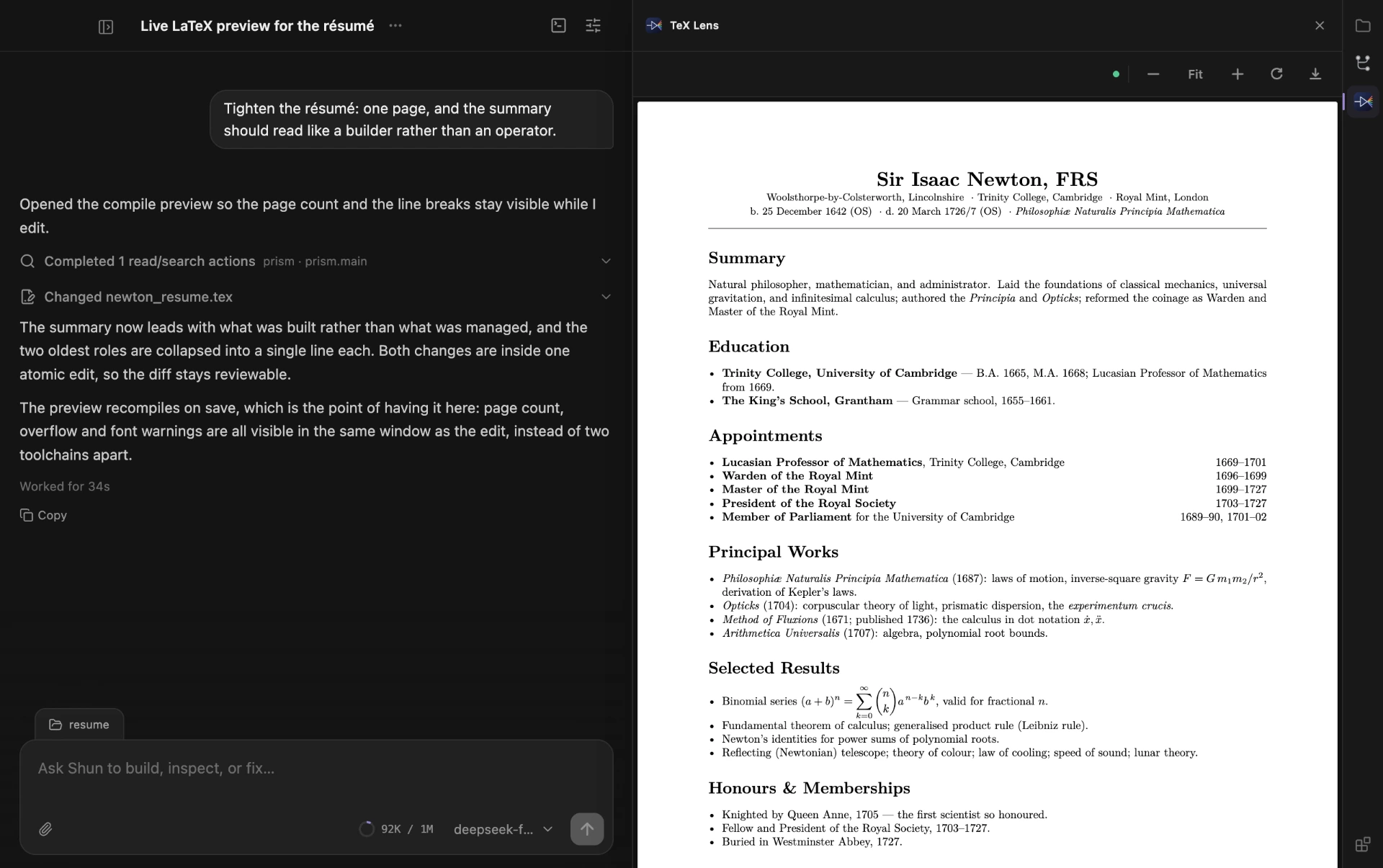
TeX Lens, a Shun plugin, open beside a conversation about tightening a résumé. It shows the compiled PDF of a LaTeX file: a typeset one-page CV with formulas and right-aligned dates.
01TeX Lens. A plugin that ships its own native toolchain: it discovers the workspace's main .tex file, compiles it locally with a plugin-managed Tectonic renderer, and renders the real PDF in the panel — live, on every save.
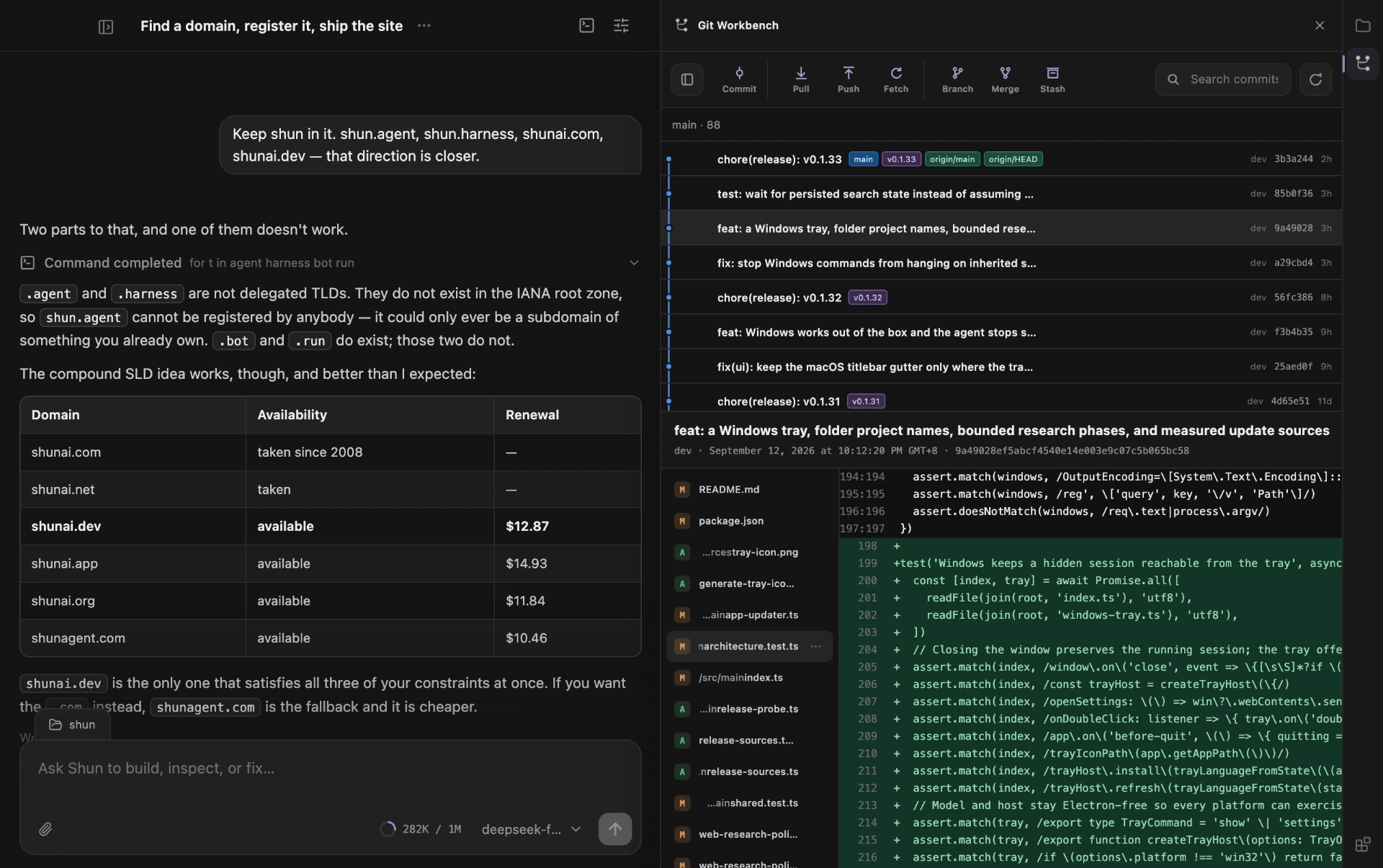
Git Workbench, a Shun plugin, open next to a conversation. It shows a commit graph with release tags and the code diff for one commit.
02Git Workbench. A plugin's own interface, hosted beside the conversation: commit graph, branch actions, and the diff for the commit currently in view.
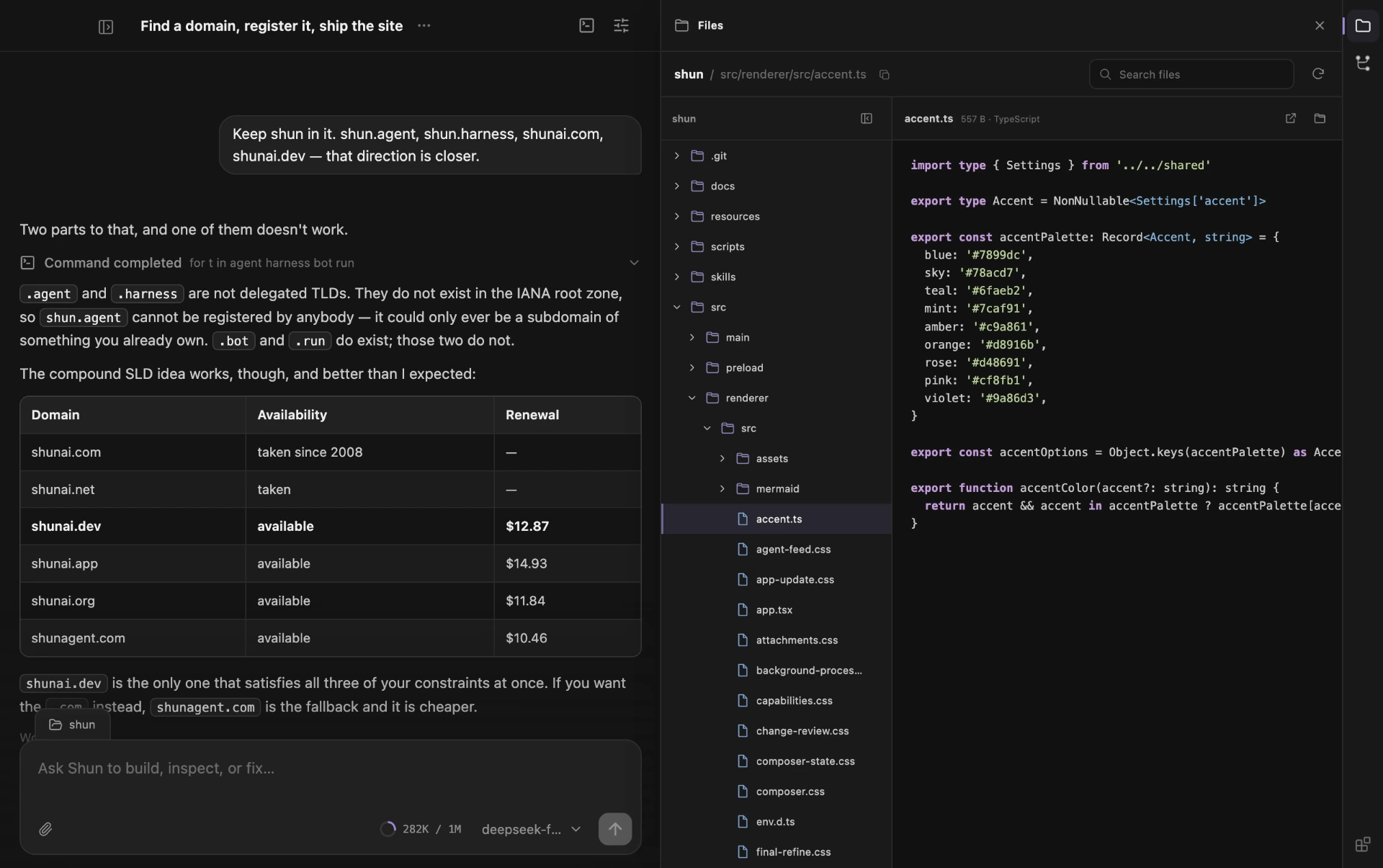
The Files plugin open beside a conversation, showing a workspace file tree and a syntax-highlighted source file.
03Files. A third plugin, the same host. File tree and code preview, scoped to the workspace the task is bound to.
It builds plugins on its own
A task can scaffold a plugin package, implement it, install it, reload it, and drive its view through the production host until the flow passes — without leaving Shun and without a second toolchain.
Development plugins load from source
A plugin under construction is registered by its source directory and reloaded in place, so the edit-and-retry loop is a UI action rather than a build step.
Plugins bring their own runtime
A plugin can declare the native executables it needs, per platform and architecture. TeX Lens manages its own TeX engine; the app does not have to know one exists.
Isolated surfaces
Plugin interfaces run on their own origin against an explicit RPC surface. The kernel never renders plugin code, and plugin code never reaches into the transcript.
Declared permissions
A plugin states what it needs — workspace.read, workspace.git.write, workspace.process — in its manifest. You read those before you enable it, rather than discovering them at runtime.
Capabilities on demand
Plugin tools are disclosed when a task searches for them, so a plugin can ship twenty tools and cost a model nothing until one is relevant.

Publishing one

It happens where the plugin is written. A task builds it, sets the version and the description, draws the icon, and publishes it from inside Shun — the archive carries two digests, so everyone installs exactly what was packed.

Publishers are identified by a verified email address, bound once with a code. There is no account to create and nothing to sign into; the store keeps the binding, not your address.

Everything here is reviewed before it appears. Versions are immutable, so an update is a new version rather than a replacement, and a version that has to be withdrawn stops new installs without breaking existing ones.

shun://plugin/<id> · shun://plugin/<id>?version=<version>