Skip to content
Shun

Serious coding agents, running on hardware you own.

Shun means an instant. It is a local-first coding harness for the models you actually run — no telemetry, no account, no server of ours — tuned so that a small model on your own GPU behaves like a serious engineer.

Public source on GitHub
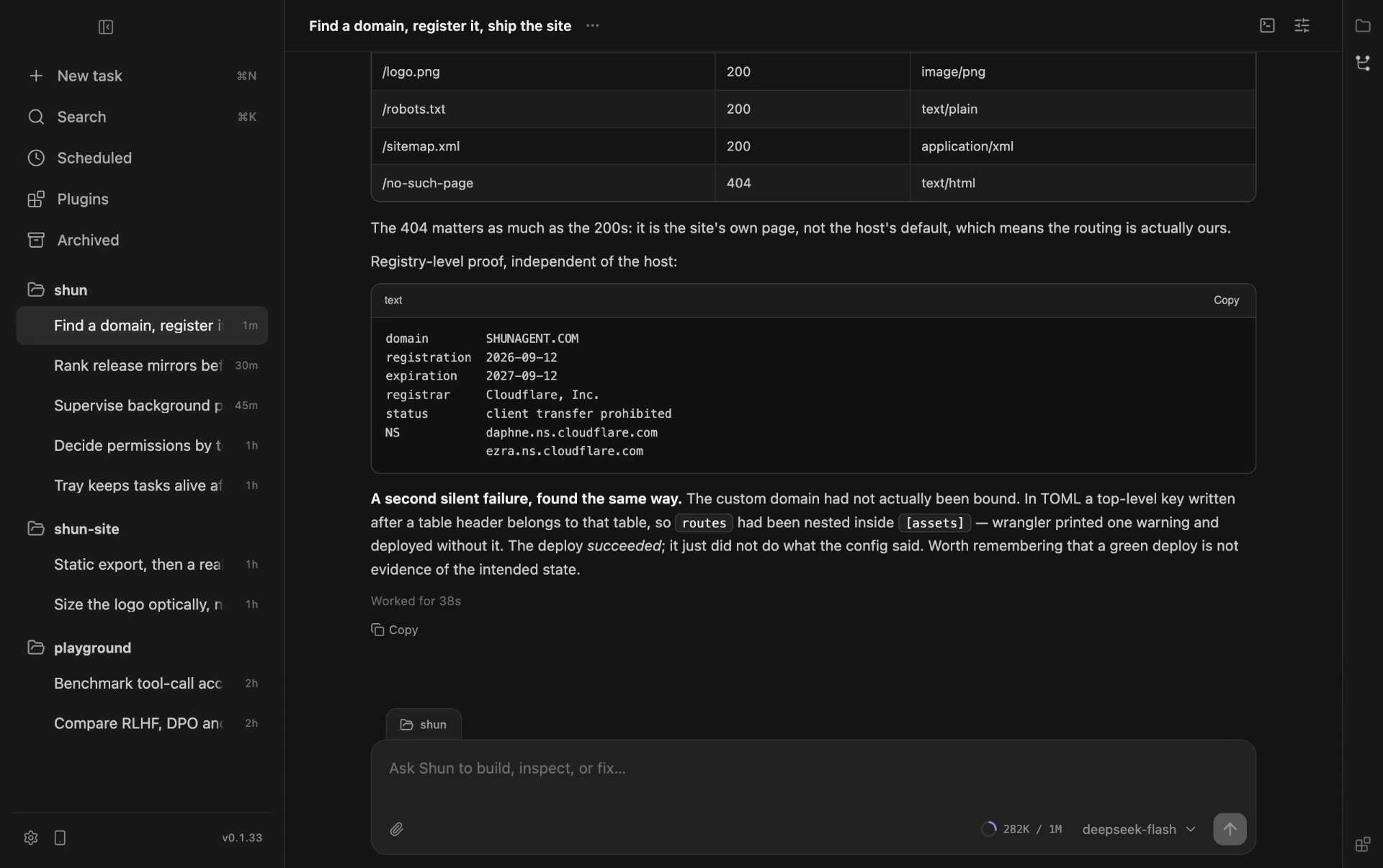
Shun working a task: checking domain registration at the registry, registering an available name on Cloudflare, then building and deploying a static site and verifying the live response codes.
01

Small models are the constraint, not the compromise.

Shun is local-first: it runs on the machine in front of you, keeps your work on it, and is built around the fact that a small model's context budget is small and its mistakes are cheap to provoke. There is no cloud tier waiting behind it.

Your code, your transcripts and your files stay on your machine. Not by policy — by construction.

No telemetry

There is no analytics library, no crash reporter, and no service of ours in the loop. The application has no account to sign into and nothing to report back to.

A local model means zero egress

Put the weights on your own GPU and a task touches nothing but your disk. Transcripts, tool output, browser findings and files stay exactly where they were written.

The cloud only where you point it

Choose a hosted provider and the results relevant to that task go to that provider and nowhere else. Research, MCP servers and browser access are per-task and off until a task asks for them.

A frontier model will paper over a bad harness. A small one will not — it forgets, it calls tools badly, and it loses the thread the moment the prompt fills with things it does not need. That makes it the useful test. If the harness works for a 7B model, it works.

LocalRuns on the hardware you already own

Private, predictable, and free at the margin. The claim is not that a small model matches a frontier one — it is that a small model with a serious harness beats a large one without.

BoundedContext is the resource under management

Every tool returns bounded output by construction. Reads stream instead of loading a file into the transcript. A tool catalogue is not allowed to spend the budget before work starts.

On demandCapability arrives when it is relevant

Tools and plugin capabilities a task is not using stay out of the prompt. The model holds a short list it can actually reason about, not every schema the app owns.

Atomic edits

One coherent change is one batch of replacements in one call, so a model that plans imperfectly still lands a single reviewable edit instead of a trail of half-steps.

Validated arguments

Tool arguments are checked against a schema and a bad call comes back as a usable correction, rather than a dead end a weak model cannot recover from.

Provider adapters

Quirks stay at the adapter boundary — reasoning replay, thinking format, per-model compatibility — so the loop keeps one shape across every model instead of branching on it.

Measured windows

Context is counted against the model's real window rather than a guess, and the remaining budget stays visible while a task runs. That is what makes a long session on a small model survivable.

Our goal is to build the best coding harness for any model that fits on a consumer GPU.

Shun — project statement
02

Plugins carry their own interface.

The kernel owns the transcript, the tool loop and the lifecycle, and nothing else. Everything a product actually needs — repositories, deploys, design files, a LaTeX renderer, a commit graph — arrives as a package that declares what it provides and what it needs. Those packages can be written from inside Shun itself.

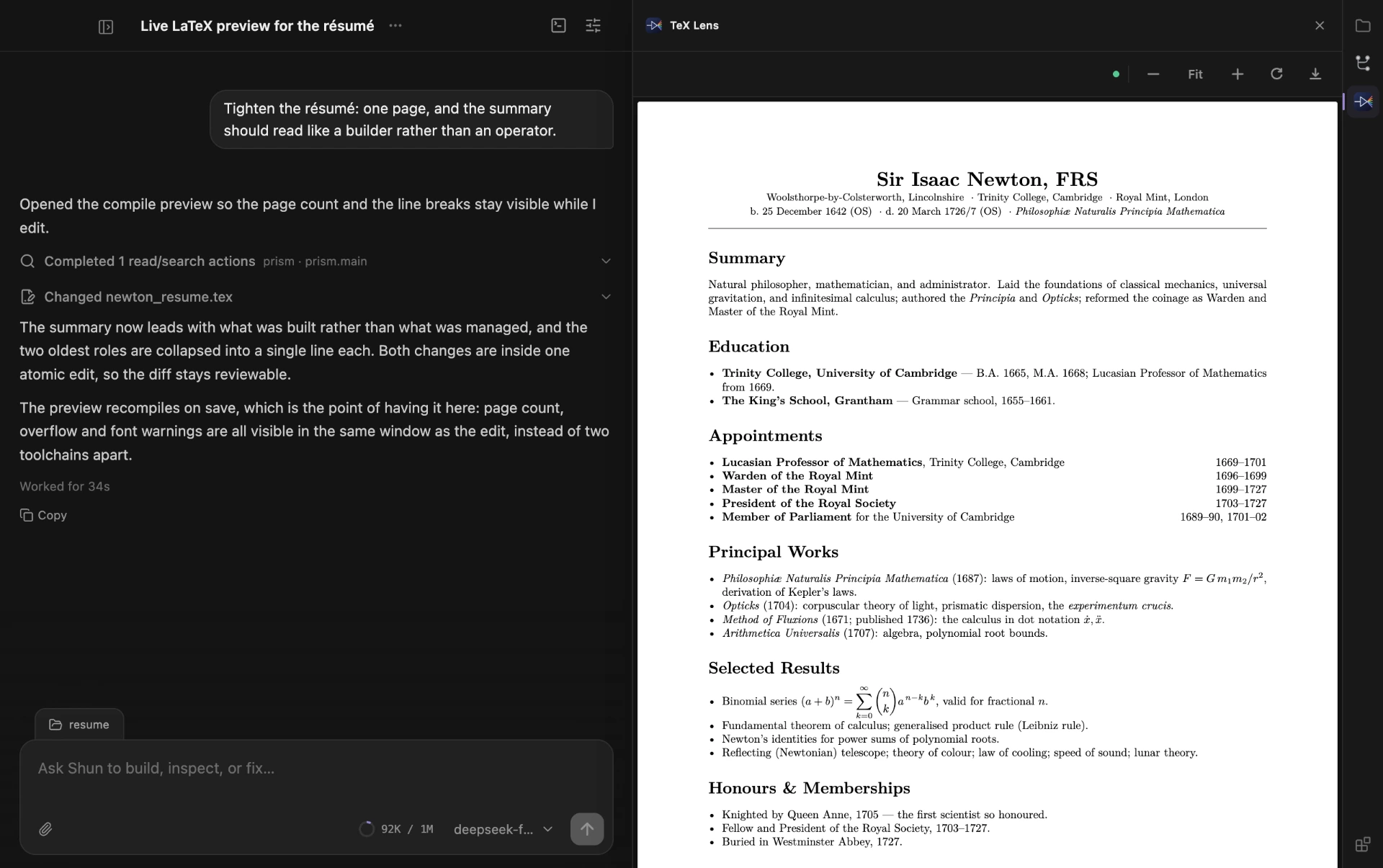
TeX Lens, a Shun plugin, open beside a conversation about tightening a résumé. It shows the compiled PDF of a LaTeX file: a typeset one-page CV with formulas and right-aligned dates.
01TeX Lens. A plugin that ships its own native toolchain: it discovers the workspace's main .tex file, compiles it locally with a plugin-managed Tectonic renderer, and renders the real PDF in the panel — live, on every save.
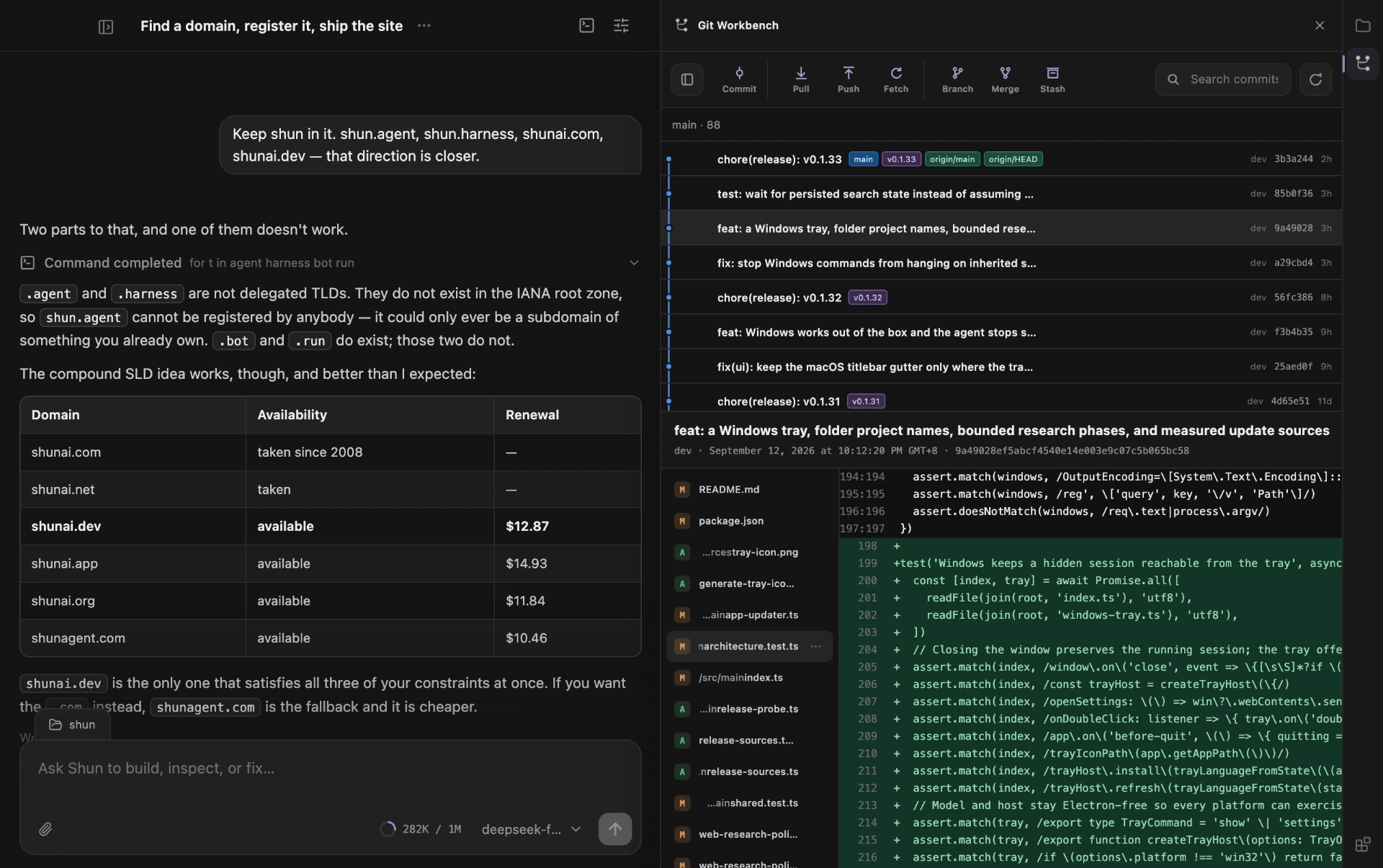
Git Workbench, a Shun plugin, open next to a conversation. It shows a commit graph with release tags and the code diff for one commit.
02Git Workbench. A plugin's own interface, hosted beside the conversation: commit graph, branch actions, and the diff for the commit currently in view.
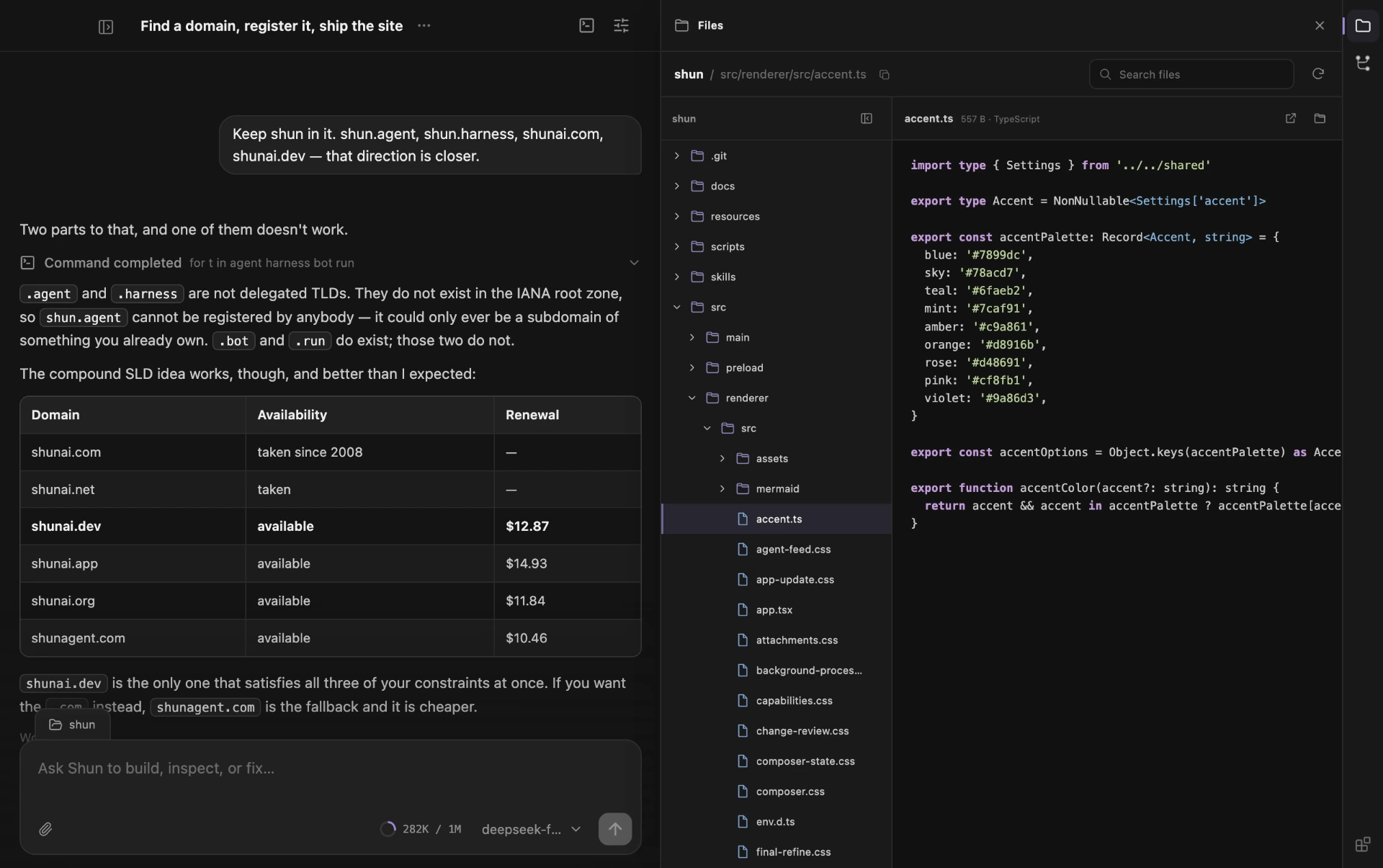
The Files plugin open beside a conversation, showing a workspace file tree and a syntax-highlighted source file.
03Files. A third plugin, the same host. File tree and code preview, scoped to the workspace the task is bound to.
It builds plugins on its own
A task can scaffold a plugin package, implement it, install it, reload it, and drive its view through the production host until the flow passes — without leaving Shun and without a second toolchain.
Development plugins load from source
A plugin under construction is registered by its source directory and reloaded in place, so the edit-and-retry loop is a UI action rather than a build step.
Plugins bring their own runtime
A plugin can declare the native executables it needs, per platform and architecture. TeX Lens manages its own TeX engine; the app does not have to know one exists.
Isolated surfaces
Plugin interfaces run on their own origin against an explicit RPC surface. The kernel never renders plugin code, and plugin code never reaches into the transcript.
Declared permissions
A plugin states what it needs — workspace.read, workspace.git.write, workspace.process — in its manifest. You read those before you enable it, rather than discovering them at runtime.
Capabilities on demand
Plugin tools are disclosed when a task searches for them, so a plugin can ship twenty tools and cost a model nothing until one is relevant.
03

What a harness owes the model it runs.

Most agent products optimise the demo. Shun optimises the fourth hour of real work — where context has to hold, tools have to be real, and nothing is allowed to silently change under you.

01

Durable context

Long sessions do not degrade. The transcript, tool results, and steering survive across turns instead of being summarized away.

02

Real tools

Filesystem, shell, background processes, and a terminal that resolves commands exactly the way the agent does. No sandboxed mock of a developer machine.

03

Parallel tasks

Independent Pi sessions run concurrently with isolated run IDs, queues, drafts, and cancellation. A hidden task finishing never steals the visible one.

04

Explicit permissions

Authorization is decided by capability configuration and tool identity — never by guessing intent from the text of a shell command.

05

Background processes

Servers, watchers, and workers are supervised resources with stable IDs, bounded output, and process-group termination. Managed from the header, not the chat.

06

Calm by construction

No fireworks, no invented progress. One task, one running model, a quiet interface that stays out of the way for hours at a time.

04

Installers for the machine in front of you.

Shun never installs Node, Git, or any other developer tool for you, and it never asks you to install one to keep working. It runs commands with the shell you already have.

Updates that survive a bad network

Installed builds check for updates shortly after launch and every ten minutes. Before downloading, Shun measures every release source — the GitHub release itself and the mirrors that follow the same paths — then uses the fastest reachable one. A failed transfer retries through the rest, and any package that did not come from GitHub is verified against the release's published SHA-256 checksums before it can be installed.

Run your own mirror

Point SHUN_UPDATE_BASE at the asset base URL of your own copy — for example https://shunagent.com/shun — and it is preferred whenever it is competitive.